

Three tips for creating characters with Midjourney
The first step for a good video: Have a star character

This is one of the most exciting roles of a director: Casting.
A story is only as compelling as its characters. For a long time, creating a consistent character across multiple AI-generated scenes was nearly impossible.
That has changed. You are learning this skill at the perfect time. Today, we’ll learn how to create a unique character who will be the star of your video.
We’re diving into the “casting process” for your AI film. The main tool we’ll use for this is Midjourney, as its character and style control is ideal for creating a stable reference.
Here are two core methods to build your perfect character.
Method 1: Casting from scratch
The first plan I try is to “roll the dice.” Write a simple prompt, pray to the AI gods, and reroll a few times until the hoped-for character appears. For example, I use this to explore sref codes: I get to explore the style, and get a character.
Character --chaos 10 --ar 3:4 --exp 10 --sref 2459842266 --stylize 1000
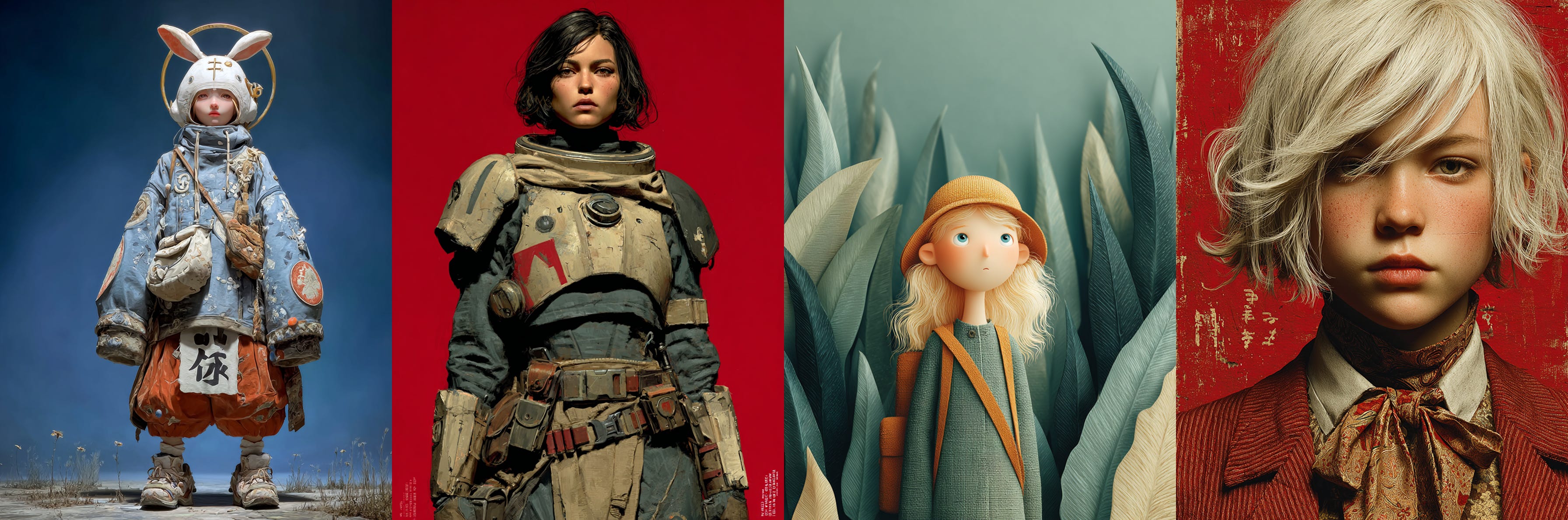
It’s not effective. But it’s fun. And gives me a glimpse of the possibilities.
A better way is to build your prompt iteratively, just like a director looking for a specific role.
Let’s say I need a character for a sci-fi story. I’ll start by defining 3-5 key traits:
Female Scavenger
Black hair, Side-swept bangs
Athletic, ragged t-shirt
Muscled arms
Cyber-metal gloves
As Directors, we also need to define specific questions: What’s the genre? Is the video realistic or animated? We need to add this information to our prompt.
Finally, we add reinforcement tokens to get a character sheet, and stylistic parameters (feel free to change those as you like).
Add All Character Details:
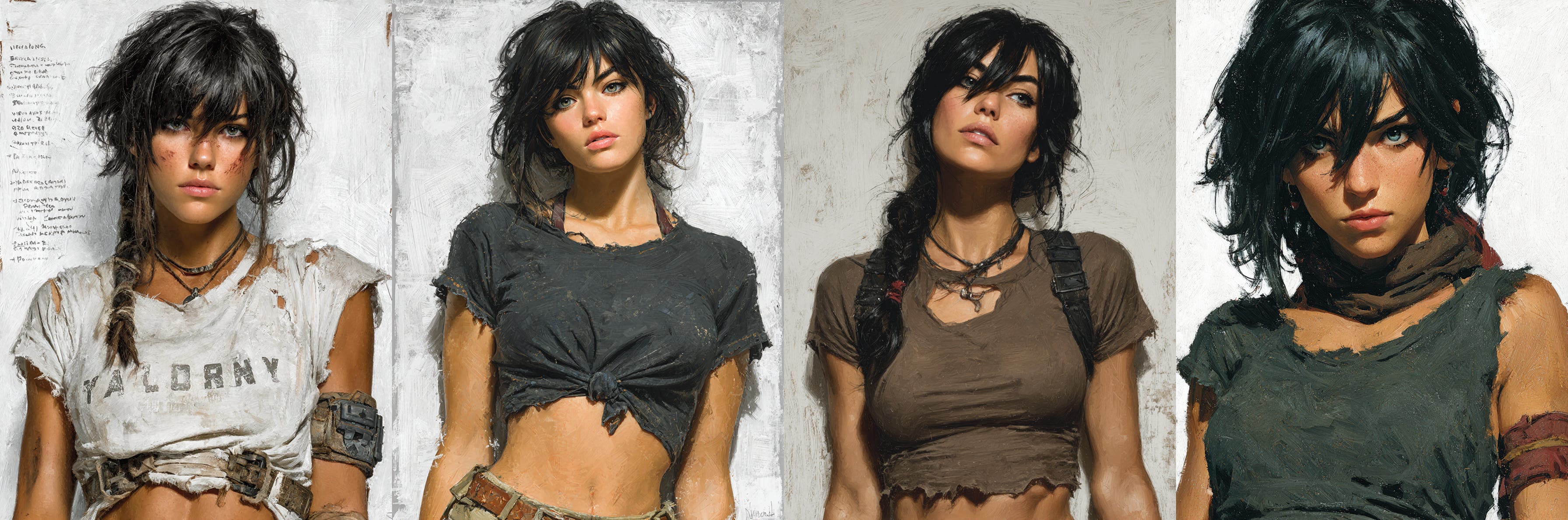
Photographic portrait, Sci-fi Character, female scavenger, black hair, side-swept bangs, ragged t-shirt, muscled arms, Cyber-metal gloves, character sheet, white flat background --chaos 10 --ar 3:4 --exp 10 --stylize 1000
Troubleshooting the ‘stubborn’ AI
Whoops. In my test, Midjourney suddenly veered into an illustrative style, even though I asked for “Photographic.”
This is a common pain point. Sometimes Midjourney gets stuck on a specific style, no matter what your prompt says. The solution is to be more forceful:
Remove ambiguous words: Words like “character” can sometimes imply “character design“ or illustration.
Double-down on the style: Add more photographic and cinematic terms and use --raw parameter to get a more literal, less “opinionated” interpretation.
Here is the corrected prompt:
Photography, sci-fi female scavenger, black hair, side-swept bangs, ragged t-shirt, muscles, cinematic poster --chaos 10 --ar 3:4 --exp 10 --raw --stylize 1000
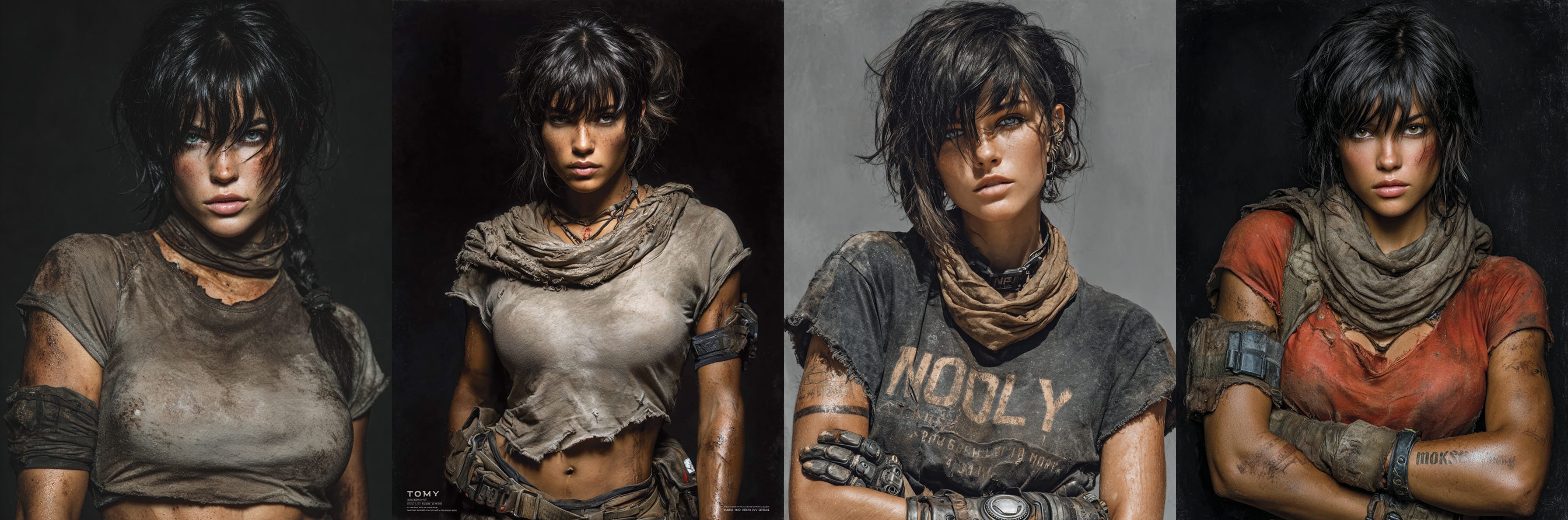
This result is much closer to what I had in my mind. One of these characters will be the star of one of my future films.
Don’t expect this process to be fast. You are casting a character you may work with for a long time. Take your time. Reroll and refine until you have the perfect reference image.
Method 2: Using an existing image
Sometimes, you’re not actively casting. You’re just generating images, and suddenly... she’s there.
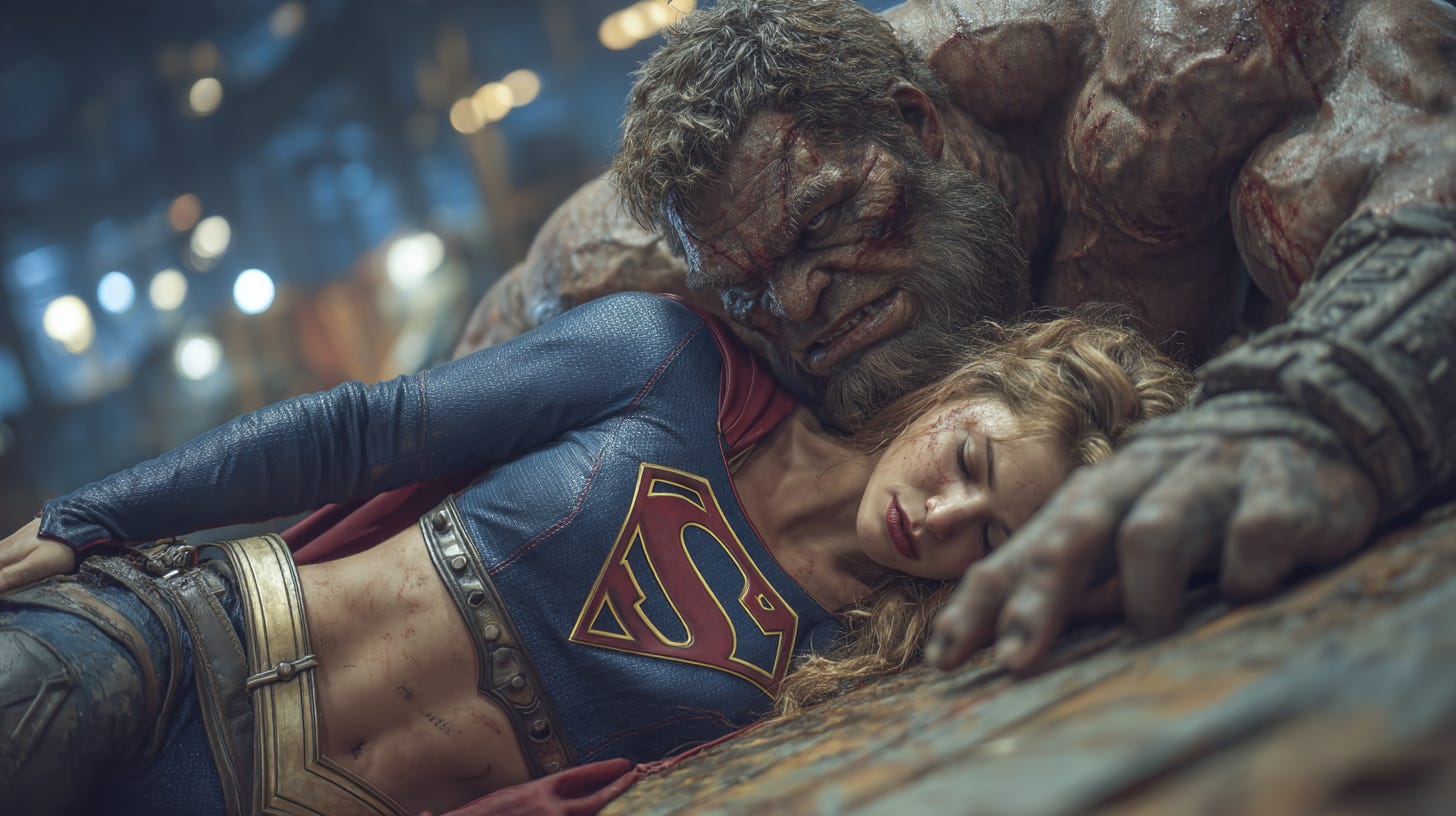
The perfect character appears in a random generation, and you know you want to build a story around her.
Now, you can.
For example, I had this image of Supergirl after a battle. I wanted to make a video of her escaping, flying away, and then returning for revenge. But to do that, I need a clean, full-body shot of this specific Supergirl. I didn’t wanted to have her changing costume every shot.
Step 1: Isolate Your Character Take a screenshot or crop the original image. Get as much of your character as possible, and as little of the background or other elements.
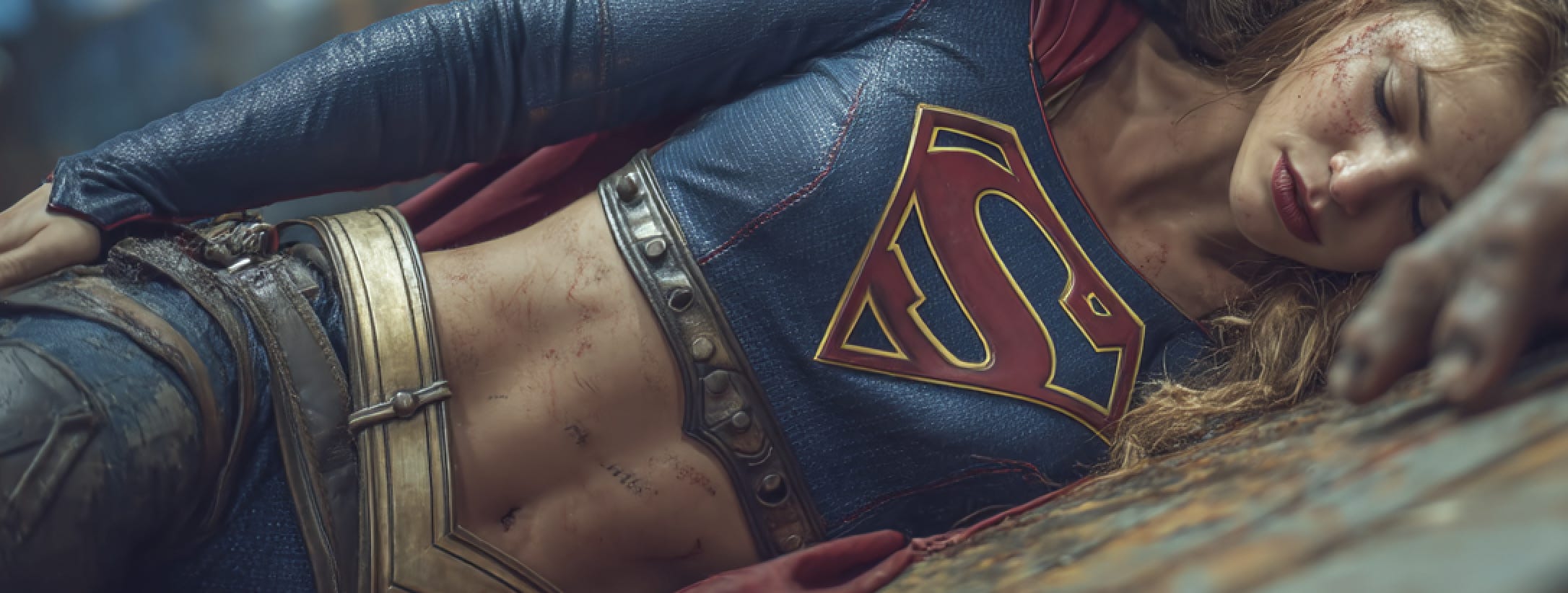
Step 2: Use Character Reference Upload your new, cropped image to Midjourney’s Omni Reference. This tells Midjourney to “lock on” to the face, hair, and clothing in your source image.

I used this prompt combined with the screenshot:
A cinematic portrait of Supergirl, character sheet, white background --ar 9:16 --exp 50 --stylize 900
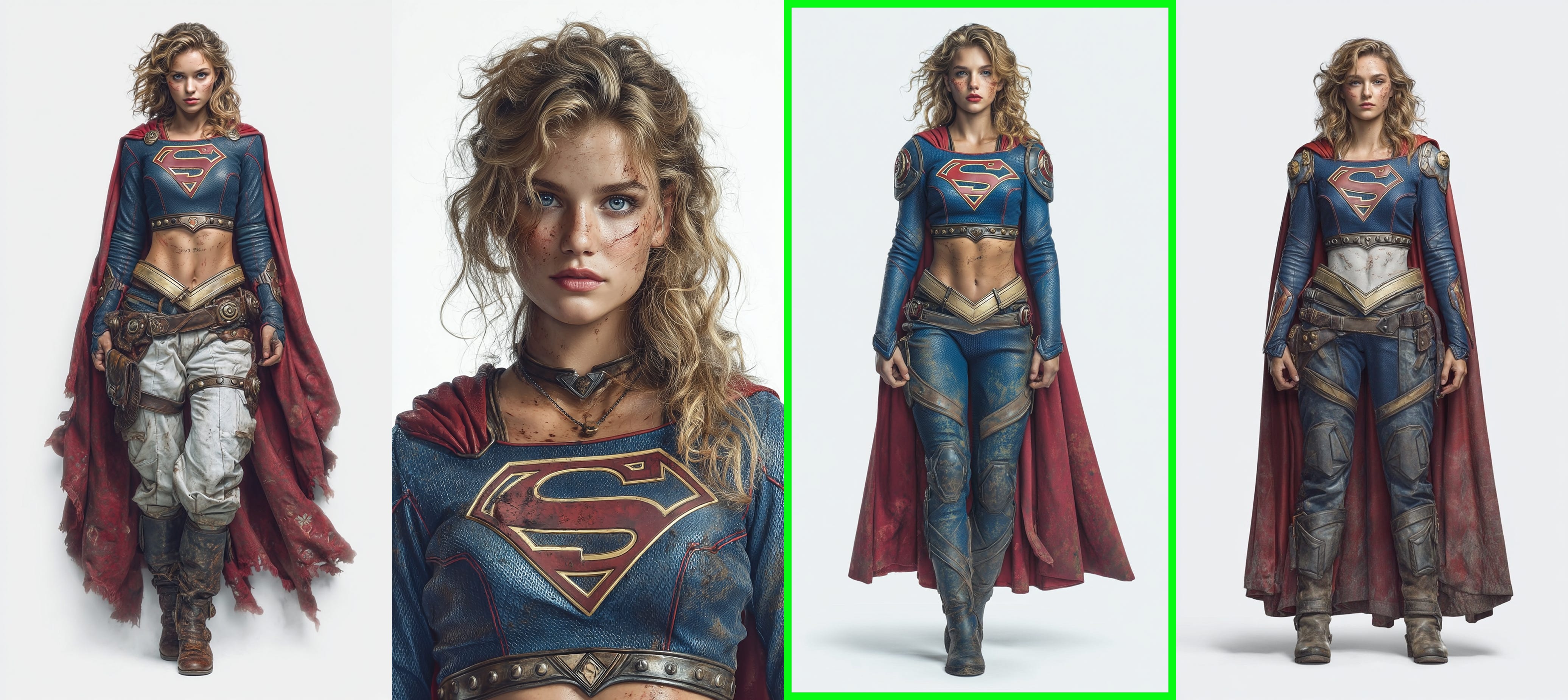
And there she is.
The result was a perfect, full-body character sheet of my Supergirl, which I can now use as the reference for my video.
Attempting to craft the video without this reference sheet would be a nightmare. I’d risk having Supergirl with a different costume, face, or logo in every single shot.
From sheet to screen
A solid character sheet is the foundation of your AI film. Once you have this consistent reference, you can take it into your video tool of choice. Use it as the source image or image-to-video prompt for your scenes.
You’ll spend less time fighting the AI and more time telling your story.
How about you? How do you craft your characters?